Posts

Showing posts with the label communication

Thanks for Being Awesome Postcards

Image
Because I teach my class in a Blended style (my students learn a lot of the material by watching videos on the computer) it allows them to learn at their own pace and review the material as many times as they want without distractions but also it makes it a little bit difficult to build personal connections with my students. So I am constantly trying to find new ways to connect with my kids. I always make it a point to meet them at the door and talk to each and every student, I have individual meetings with each of them, etc. but I am always looking for more. Here's a way to show your appreciation for every student.  Download this free file, print them out on cardstock...address one for each student. During the school year when you find a student doing something great or going out of their way to help someone else, write them a little note and drop it in the mail.  I plan to fill out the addresses at the end of the summer so they are ready to go. You can ...

4c: Communicating with Families with an Open House Video (NEW VIDEO)

Image
I have updated my Open House video! I like using an Open House Video for 3 reasons: 1) Parents can get a better idea about what happens in our classroom if they can see it. 2) I only have 8 minutes with each set of parents and I don't want to forget to tell them anything. 3) Parents that are unable to attend Open House can watch the video on my website from home. You can read about and watch my old Open House Video here: Open House Video 2012. This is the new one: A lot of people have asked how I made it and what software did I use... Here is what you need to make your own video: 1) lots of pictures of your classroom over the years.  I usually have a simple digital camera in my classroom everyday just in case a photo-op comes up. 2) I loaded the pictures into Keynote on my Mac (If you have a PC or prefer Microsoft software you can use PowerPoint) Most teachers already have some sort of a PowerPoint video for Open House...if so, you are  ...

4c: Communicating with Families with an Open House Video

Image
At Open House in my school district I have 7 minutes to explain my class to the parents before the next class comes in. I was always afraid to forget something crucial so a couple years ago I took photos throughout the year and then created an Open House Video. Every year I tweak it slightly but this is the video I showed last year. I also post it on my school website so parents or guardians who could not attend can still watch the video. originally posted on ballinwithballing.blogspot.com

2b: Establishing a Culture for Learning and 3a: Communicating with Students with Online Teaching

Image
Or should I title this: "What could be learned from Online Teaching"? I'd like to give you a glimpse into my online classroom and real life classroom.     I started teaching 16 years ago and taught in a very traditional way for most of that time. I did incorporate cooperative learning and group projects here or there but for the most part I did a traditional lecture from the overhead projector because that was the most efficient way to cover/teach the material. In 2007 I made the transition from the overhead projector to a SmartBoard (interactive white board). This allowed me to use some interactive games with my students but only one student at a time could come up to the board and play the game. Often the students did not want to get up in front of their peers and look foolish as they were playing the game so that was only slightly useful. In  January 2010 I attended a three day Moodle workshop at our local Erie 1 BOC ES ( Boards of Cooperative Educational Ser...

2b Establishing a Culture for Learning, 3a Communicating with Students, 3d Using Assessment in Instruction with a Unit Learning Plan

Image
     This year I have been going crazy with eDoctrina. For those of you who haven't heard of eDoctrina before, I blogged about it here , but in a nutshell it is a data management system that was locally created in the Buffalo, NY area and I can see it being the next great tool in education.      In the past teachers have been able to get item by item feedback about a test question by using scan forms such as Scantron and we have been able to see end of the year data correlated to the State Standards but that was it.  With eDoctrina the teacher can get feedback about each student individually, each class, each test or quiz question, all linked to the standards. I am a nut for data and helping my students so I am definitely hooked on this program.      Don't get me wrong, this doesn't do the work for you. It still requires a LOT of work upfront on the part of the teacher but once the bulk of the work is put in, it is re...

1a: Demonstrating Knowledge of Content and Pedagogy with the Oneonta Biology Listserve

Image
Do you ever wonder what other teachers in your discipline are talking about? Do you ever wonder what is happening in their districts? How they are conducting their pre-assessments, APPR's, SLO's? Join a list serve and find out.  I have been a member of the BioForum Listserve hosted out of the State of New York College at Oneonta and I have found it very valuable for acquiring new ideas and new perspectives on teaching Biology. Warning...once you join you will receive a LOT more email but soon you will learn to filter out what is useful to you and what is not.  Click here to sign up to join a science listserve           “I'm a great believer that any tool that enhances communication has profound effects in     terms of how people can learn from each other, and how they can achieve the kind of freedoms that they're interested in.” Bill Gates [Founder of Microsoft Co.] This post originally featu...

4c: Communicating with about.me

Image
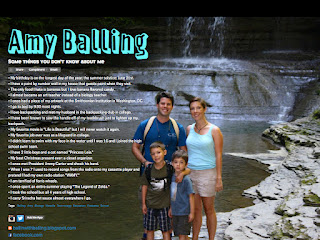
   Now a days everybody puts a lot of information about themselves out there on the web. Do you ever wish you could tell people more about yourself without pulling the "hey, let's talk about me some more."We all have interesting information that nobody knows about us. Here's mine whether you want to know or not... about.me/Amyballing  This post originally featured on ballinwithballing.blogspot.com 

4c: Communicating with Families by creating a movie trailer for your class

Image
 Yes, a movie trailer. To get students and parents excited about my course and to get more students to sign up for it I have created a movie trailer to drum up interest. All teachers eventually realize that we are in advertising. I believe that my obsession with infomercials and the way they can make me want to buy a product that I really don't need makes me a better teacher. If you think about it we are trying to sell a product that students usually wouldn't want. We need to see them as customers with a choice, not inmates serving time. (paraphrasing David Warlick; his blog is at davidwarlick.com ) I don't think that teachers usually do a very good job of tooting their own horn. You work hard as a professional, show it off! Here is the trailer to promote my course: (made with iMovie for the Mac)  This post originally featured on ballinwithballing.blogspot.com

1e: Designing Coherent Instruction with Workflowy

Image
https://workflowy.com I don't know about you, but I am a list-maker. I have so many lists and posit notes that I have lists of my lists. A tool I've started using recently is Workflowy.com. It allows you to make lists with sub-lists and cross them off but it stores them in case you ever need to refer back to that list in the future. I have made workflow.com my home page so anytime I turn on my computer my to do list is right there in front of me. This is a screen shot of Workflowy in action: This post originally featured on ballinwithballing.blogspot.com 

4c: Communicating with Families and Students with Remind101

Image
One tool I like to use to communicate with students and parents is Remind101.com. With Remind101 you can easily send a text message or email message to a class of students or to all of your students and parents. I especially like that I can set the time that the message will get set. Often I will set it to send the message out at 2:10pm because our last period ends at 2:15pm and my students will get the reminder just before they reach their lockers to go home. My advice.. make up a separate class for each class period that you meet with.  This way you can send a text and/or email message to every student in one class or every student in all classes.

Charlotte Danielson in Action

Image
Many of you may know that I am a Biology teacher and in today's society it is a very stressful and demanding job. Constantly (even during vacations and weekends) I am working to improve the entire school experience for my students and to streamline the entire grading, learning, and evaluation part of my job. Very soon I will be evaluated as a teacher with the use of Charlotte Danielson's Framework for Teaching (2007).  The framework places an emphasis on four different domains of teaching... http://www.roe13.k12.il.us/Services/KeriKorn/HND12/Trover/FrameworkTeaching.pdf Even if you are a great teacher, most of the stuff you do isn't always visible in a 40 minute observation especially if you are teaching online or using technology in the classroom. In these blog postings I hope to document all of the different techniques and tricks that I use as a teacher and to help give others ideas that can be implemented in their own classrooms.  We are much better te...