Posts

Showing posts with the label time

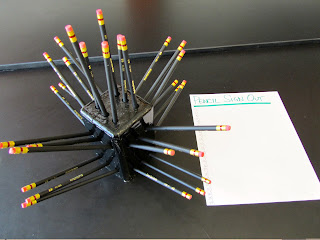
2c: Managing Classroom Procedures and Materials with a "Pencil Tree"
Image
How often do you loan students a pencil and never see it again? Every time I give the students a test I loan them a pencil from the "Pencil Tree" Pencil tree and sign out sheet the student signs out the pencil and crosses their name off when it is returned. By storing the pencils in the "Tree." missing pencils all pencils returned! By the way...my students love that they have Mirado Black Warrior pencils to use...they just love the name and it's easy to see if it is my pencil or theirs. You can buy Mirado Black Warriors by clicking on the image here:  I can quickly look and see if all were returned. It saves class time and I never lose a pencil!  This post originally featured on ballinwithballing.blogspot.com
2e: Organizing Physical Space with Student Mailboxes

Image
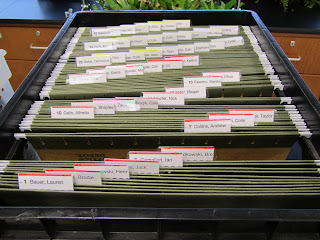
     To save time in class and to get my students started right away I created a mailbox for each of my students. This is a quick way to hand back papers and a nice easy place for my students to store the headphones that they need in class everyday.     Each student has been assigned an "Alpha Number" which is a number that helps me put their papers in alphabetical order by class. So my first student in my first class has the number 1, second student alphabetically in the same class is #2, etc. So every time a student puts their name on their paper, they also write their Alpha Number. This saves a LOT of time when you need to alphabetize over 100 papers. These are pictures of the students' mailboxes where they will get papers that I want to hand back. This is where they turn in assignments to me Each "basket" is for a different class A bit of advice: If you are going to make your own mailboxes, staple them together or else...

1e: Designing Coherent Instruction with Workflowy

Image
https://workflowy.com I don't know about you, but I am a list-maker. I have so many lists and posit notes that I have lists of my lists. A tool I've started using recently is Workflowy.com. It allows you to make lists with sub-lists and cross them off but it stores them in case you ever need to refer back to that list in the future. I have made workflow.com my home page so anytime I turn on my computer my to do list is right there in front of me. This is a screen shot of Workflowy in action: This post originally featured on ballinwithballing.blogspot.com